Saturday, July 30, 2011

Delicious - Social Bookmarking: Organize and Share your Webpages


According to the Delicious website:

"The Web is a big place, full of new and interesting things to discover. The problem is finding the good stuff and keeping track of it all. This is where Delicious can help.

Delicious is a Social Bookmarking service, which means you can save all your bookmarks online, share them with other people, and see what other people are bookmarking. It also means that we can show you the most popular bookmarks being saved right now across many areas of interest. In addition, our search and tagging tools help you keep track of your entire bookmark collection and find tasty new bookmarks from people like you."

Social Bookmarking in Plain English gives great three-minute overview of Delicious:
http://www.youtube.com/watch?v=HeBmvDpVbWc

If you would like to explore my collection of websites - to see if there are any that might be helpful for your teaching, please take look at my account!

My username is MBMorell
and my password is share1

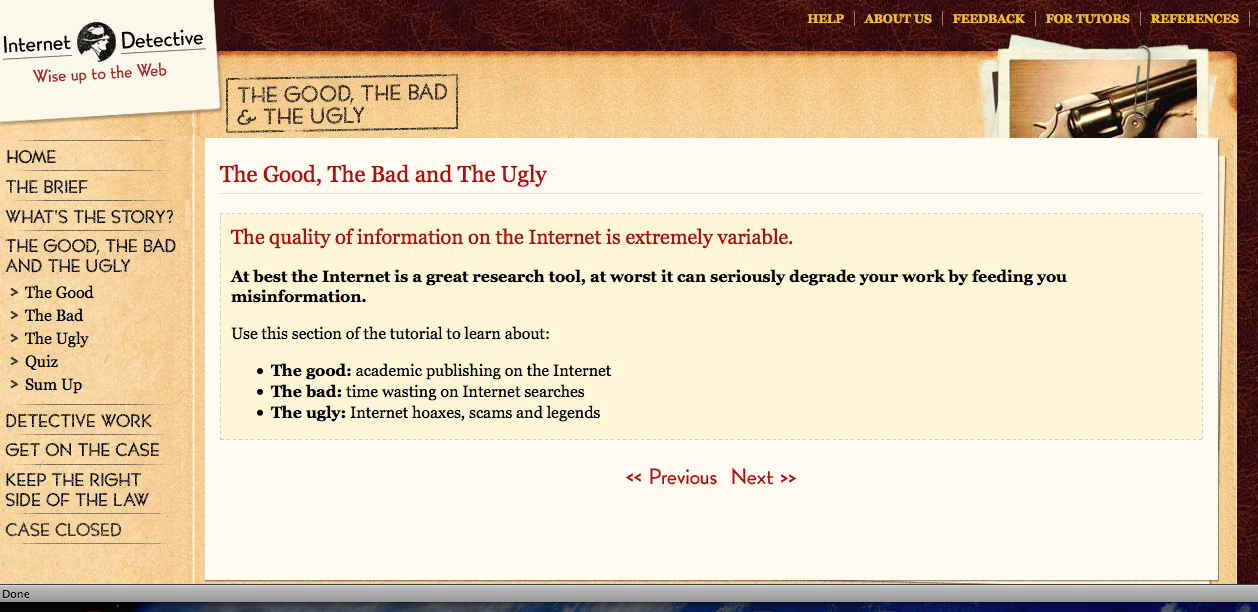
Internet Detective - The Good, The Bad and The Ugly

If you would like to better understand how to help students research effectively on the Internet, you might enjoy this resource.  Created in the UK, it was designed for University students, but communicates the issue in such a simple way that I believe much can be used with younger students, and is definitely a great resource for educators:

Internet Detective - The Good, The Bad and The Ugly

A few pages teachers might find most interesting:

The Good, The Bad and The Ugly:

  • The good: academic publishing on the Internet
  • The bad: time wasting on Internet searches
  • The ugly: Internet hoaxes, scams and legends


Detective Work:

It can pay to think like a detective:

  • Take a case-by-case approach
  • Ask questions (who, what, where) and look for clues
  • Weigh up the evidence to make a judgement


Keeping on the Right Side of the Law:

Use this section of the tutorial to learn:
  • About plagiarism and copyright - why it's not OK to copy from the web
  • About citation and referencing - why you must acknowledge your sources
  • How good you are at keeping the right side of the law - a quick quiz!


Friday, July 15, 2011

Best Practices for Fair Use

http://www.centerforsocialmedia.org/fair-use/related-materials/codes/code-best-practices-fair-use-media-literacy-education

Thursday, June 30, 2011

To use Wikipedia or not to use Wikipedia? That is the question

I have observed that our students have a natural inclination to begin their research with Wikipedia, even when I'm actively discouraging it.  I found a pair of articles on the website finding Dulcinea (Librarian of the Internet) that should help better teach the use of Wikipedia, and help better articulate why exactly the kids should be using other sources.  I thought they would be helpful to all, so here are the links:

http://www.findingdulcinea.com/guides/Education/In-The-Classroom/Wikipedia-In-The-Classroom.html


Wednesday, June 22, 2011

Edutopia - 2011 Summer Rejuvenation Guide


I would suggest that you all subscribe to the Edutopia blog.  Run by the George Lucas Educational Foundation, it is a great resource for teaching - not just teaching with technology.  Each year, they publish a Summer Rejuvenation Guide, which is a fairly comprehensive document full of ideas.  Chapters include:
  1. Grow Your Network
  2. Party with the Stars
  3. Do-It-Yourself Professional Development
  4. Tell the Story of Your Life
  5. Try Something New
  6. Curate Classroom Artifacts
  7. Give a Little, Get a Lot
  8. Get Moving
  9. Crack the Books
  10. Plan Ahead for Next Summer
Intrigued?  Follow the link below:

http://www.edutopia.org/summer-rejuvenation-classroom-resource-guide?utm_source=housead&utm_medium=banner&utm_content=guide&utm_campaign=summerguide 

Friday, May 27, 2011

The New York Times Learning Network


I discovered this website when I was leading the After School Journalism Club, and absolutely love it - probably because I can actually complete their crossword puzzles in a reasonable amount of time.

I pulled language directly from the Network to describe the site - which is actually a blog:

About The Learning Network

Our mission is to offer rich and imaginative materials for teaching and learning using New York Times content. 

Every weekday we offer new educational resources based on the articles, photographs, videos, illustrations, podcasts and graphics published in The New York Times – all for free.
We invite parents, teachers and students who are 13 and older to use our ideas and tools. We hope that through posting your comments you’ll become part of an ongoing conversation about teaching and learning. 

For the 2010-’11 school year, here are 11 great ways to use our blog.
Throughout the year, we offer the following regular features:
  • Lesson Plans — Daily lesson plans based on New York Times content.
  • Student Opinion — News-related questions that invite response from students age 13 and older.
  • Word of the Day — Vocabulary words in the context of recent Times articles.
  • Test Yourself — Questions based on Times content that aim to strengthen literacy and numeracy skills.
  • 6 Q’s About the News — An activity in which students answer basic questions (Who, What, Where, When, Why and How) about an article.
  • News Quiz — Interactive daily news quizzes on current top stories.
  • On This Day in History — Listings of historical events and more for each day of the year.
  • Student Crossword — Topical puzzles geared toward teens.
  • Fill-Ins — Times articles from which word and phrases have been dropped. Fill in the blanks with your own words, or choose from a scrambled list of the words that were removed.
  • Poetry Pairings — A weekly collaboration with the Poetry Foundation in which we feature a work from its American Life in Poetry project alongside content from The Times that somehow echoes, extends or challenges the poem’s themes.
The award-winning Learning Network was created in the fall of 1998. In October 2009, we re-launched it as a Times blog. 

We hope teachers will use our blog to get and exchange ideas, parents to share how news stories have resonated at home, and students to express themselves on everything from politics to popular culture.
For answers to questions about the blog, please see our FAQ or our Commenting FAQ, or write to us. We will do our best to respond quickly.


Glogster! - Online Multimedia Posters

Glogster is one of those new Web 2.0 tools that everyone seems to be talking about - and for good reason!  This tool allows you and your students to create posters with text, photos, video, graphics, sounds, drawings, data attachments and more.  Want to learn more about this site?  Check out the "What is Glogster edu? link below:

http://edu.glogster.com/what-is-glogster-edu/


We experimented with Glogster in the 6th grade this spring, with great results.  The students spent several weeks researching a National Park, and collecting a file of photographs.  They then created Glogsters to display their work:


These projects were created with a free trial.  If there is enough interest, I believe we will purchase a subscription for HTS for the 2011-2012 school year.  It does take quite a bit of leg-work to set up a class before they can begin a project, as an individual account must be set up for each child.  Just check in with MB, and she can set it up for you.

Using Netflix to Play Movies in Your Classroom

The After School Program uses Netflix to play movies for our students in the afternoons, but did you ever consider using Netflix to show movies using your Smartboard?    You may be intrigued to know that hundred of Netflix movies and documentaries are now available as an "Instant Play" option.  The 3rd grade recently watched the Disney documentary Oceans this way:


Our HTS login is: nburton@htsdc.org
Our password is: titans1112
You may need a quick software download before you can run Netflix in your classroom - you can contact Charlie or MB to install the software.

Arkive - Website in the Spotlight


The website Arkive believes wildlife films and photos are vital weapons in the battle to save the world's endangered species from the brink of extinction.
So with the help of the world’s best filmmakers, photographers, conservationists and scientists, ARKive has created a multimedia guide to the world's endangered animals, plants and fungi.
At HTS, we have used Arkive in the computer lab for research, and to explore photos and videos endangered animals.

The site also has a number of educational resources.  Suitable for 7 to 16 year olds, ARKive’s free teaching resources cover a range of key science and biology subjects including: adaptation, food chains, Darwin and natural selection, classification, identification, conservation and biodiversity.
These teaching resources include: classroom presentations, activities and handouts, teachers' notes as well as links to ARKive species profiles and scrapbooks.

Discovery Education Streaming - Use it!

OK team, if you only explore one website this summer, Discovery Education should be the one. Created by the Discovery Channel, it engages students through dynamic curricular resources like Discovery Education streaming and Discovery Education Science.  Many of our teachers use it quite a bit.  If you are one of them, please comment and share your experiences below!!  As it is quite an expensive subscription, we'd love everyone to become familiar with the great resources available.


If you've never used it before, navigate to the passcode/new user tab and enter 13FF-53EE.  Once you enter that, you can then set up your own username and password.

And as you wander through the content, peek at the following document to inspire yourself on how best to integrate Discovery Ed streaming into your lesson plans next year:

50 Ways to Use Discovery Education Streaming